60-Second Summary
This quick summary highlights how leading B2B contact databases compare on accuracy, coverage, pricing, features, and compliance so you can pick the best fit for outbound, ABM, or CRM enrichment. Focus on matching a provider’s strengths (region, intent, verification) to your specific use case rather than choosing the largest dataset.
Key takeaways: Prioritize data accuracy, verification cadence, and regional coverage (EU/APAC/US) — compliance and freshness drive higher deliverability and ROI; pricing ranges from free tiers to custom enterprise quotes.
Standout strategies and tactics: Combine intent signals and real-time website visitor ID with live email/phone verification, integrate directly with your CRM, and use browser extensions/APIs to capture and enrich contacts efficiently.
Real-world lessons: Regular verification and transparent sourcing beat raw size — smaller, accurate datasets outperform stale large lists. Match vendors to markets (e.g., Leadfeeder for GDPR/EU, Ampliz for APAC, ZoomInfo for US/global).
Decision framework: Evaluate coverage, freshness, compliance, features, and cost; run trials or free tiers, measure deliverability and meeting rates, and favor vendors with verification guarantees and strong CRM integrations.
*This summary was created with AI assistance, using our original content.
In this guide, we compare the top B2B contact database providers based on data accuracy, coverage, pricing, features, and compliance, so you can choose the best fit for your outbound strategy, account-based marketing, or CRM enrichment needs.
Best B2B Contact Databases in 2026 (Quick Comparison)
1. Leadfeeder
Best for: B2B teams that want a GDPR-compliant contact database with built-in website intent signals
Leadfeeder is more than a contact database. It's an AI-enabled B2B intent and activation platform that combines 60M+ company profiles and 400M+ verified contacts with real-time website visitor identification. Choosing the right database starts with understanding the landscape of B2B data providers and how they collect and verify records.
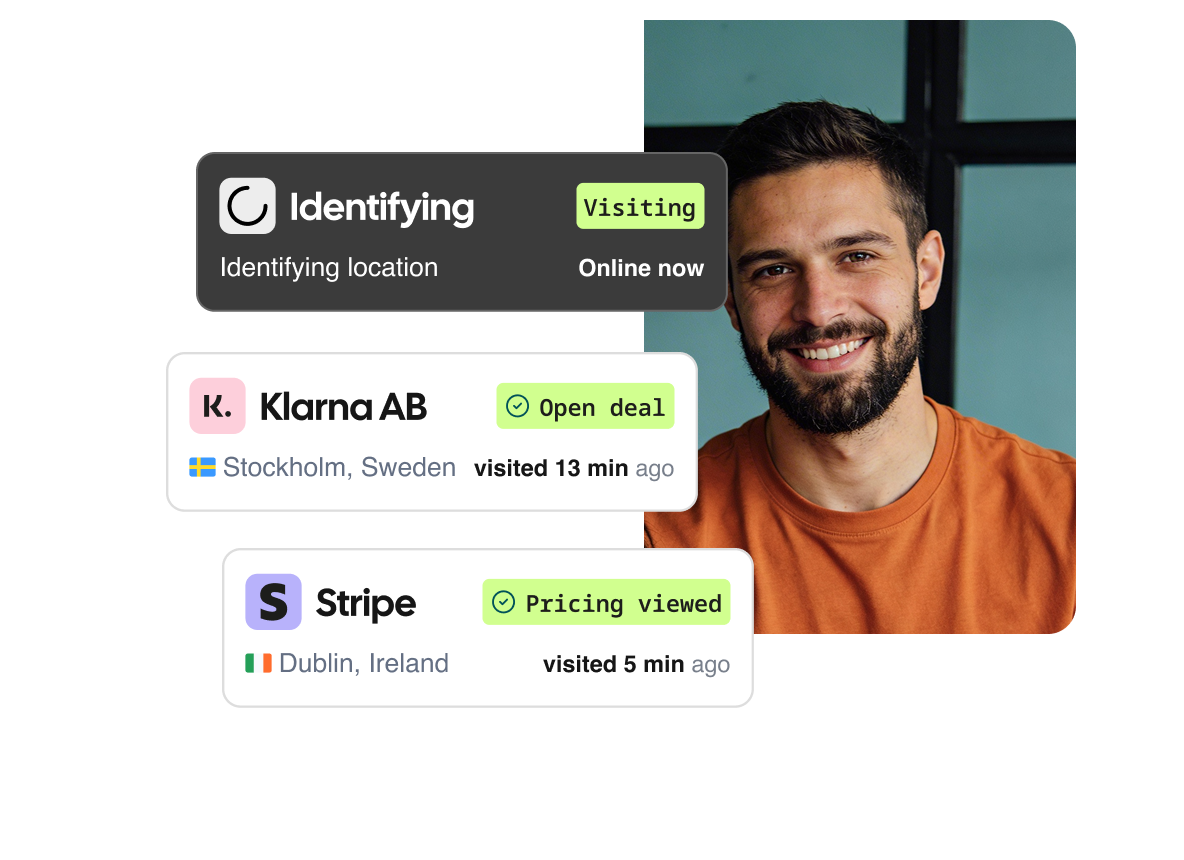
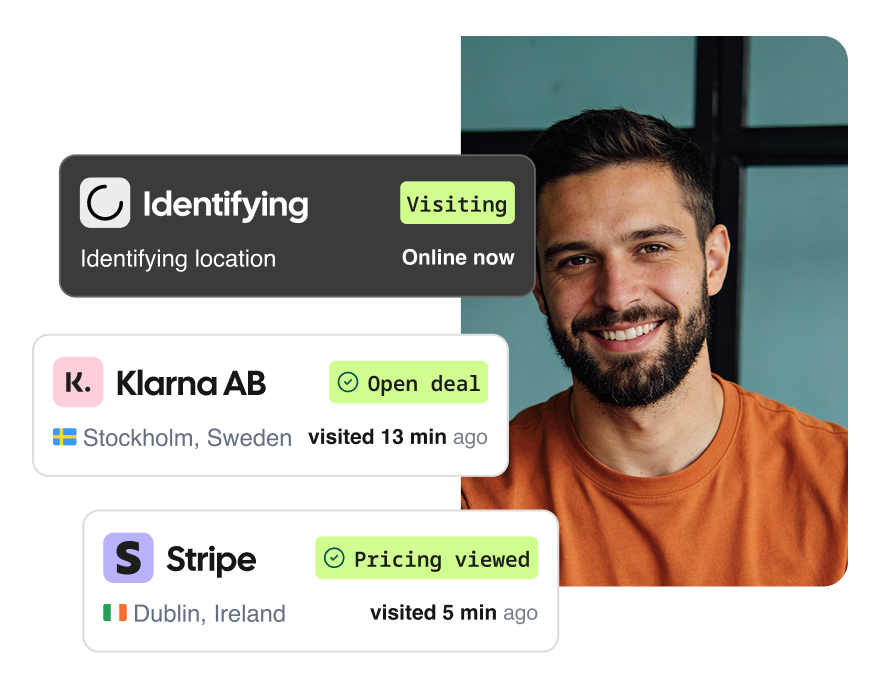
Most contact databases give you a static list of names to cold-call. Leadfeeder adds an intent layer on top: it shows you which companies are actually visiting your website right now, scores them by buying intent using AI, and gives your sales team the contact details to reach the right person at the right time. For teams that prefer a fully managed approach, B2B lead generation companies can source, qualify, and deliver leads directly into your pipeline.
The database is built on data sourced from national trade registers and publicly available sources, processed in Europe under full GDPR protection. Every contact is verified in real time, so your outreach hits live inboxes, not dead ends. Over 15,000 B2B companies rely on Leadfeeder, including Clay, Pipedrive, and Semrush.
Key features:
500M+ leads across 60M+ companies and 400M+ verified contacts, with direct dials and emails
100+ search filters covering firmographics, financials, personas, trigger events, and behavioral signals
Real-time website visitor identification: see which companies are on your site right now and what pages they're viewing
AI-powered lead scoring that ranks accounts by buying intent
Real-time verification of email and phone data, so you're always working with accurate contacts
Integrations with HubSpot, Salesforce, Microsoft Dynamics, Pipedrive, and more
30+ trigger events (job changes, funding rounds, company news) to time your outreach perfectly
Who it suits best: B2B sales and marketing teams that want compliant, verified contact data combined with website intent signals. Particularly strong for companies that need GDPR-compliant data, but the database covers global markets, not just Europe.
Potential downsides:
Strongest coverage in Europe, though global data is expanding. Teams focused exclusively on the US may want to compare coverage for their specific verticals.
Pricing is custom-built per team, which is great for flexibility but means you'll need to talk to sales for a quote.
Pricing: Packages are tailored to team size and credit needs. Products can be bundled for better pricing. Start with a free 14-day trial or get a personalized demo.
2. LinkedIn Sales Navigator
Best for: Using LinkedIn’s massive professional network for lead discovery.
Key features:
Access to the world’s largest professional database.
Smart lead recommendations based on your saved accounts.
Alerts for job changes and new decision-makers.
Relationship mapping and InMail messaging options.
Who it suits best: Sales teams focused on social selling and account-based outreach.
Potential downsides:
Limited InMail credits without purchasing extras.
Steep learning curve and manual data export required.
Pricing summary: The Core plan costs $119.99 per month (or $89.99/month billed annually). The Advanced plan costs $179.99 per month. The Advanced Plus plan is custom-priced, typically around $1,600 per seat per year. A 30-day free trial is available
3. ZoomInfo
Best for: Enterprise-scale data coverage and enrichment.
Key features:
70M+ direct dials, 170M+ verified emails.
Deep company insights and firmographics.
Advanced segmentation and intent tracking.
Integrations with major CRMs and marketing automation tools.
Who it suits best: Large, data-driven sales and marketing organizations with significant outbound operations.
Potential downsides:
Expensive relative to other providers.
Users report variable data accuracy and a complex UI.
Pricing summary: Custom enterprise pricing is available on request, offering flexible packages.
4. Cognism
Best for: Phone-verified data and compliance-ready outreach.
Key features:
Global coverage with a strong European presence.
Phone-verified contact data for higher connect rates.
Advanced search filters and data enrichment.
Built-in GDPR and CCPA compliance tools.
Who it suits best: Enterprise revenue teams running phone-based outbound and needing verified dials.
Potential downsides:
Pricing suited to mid-large businesses.
Integration with Salesforce can require setup support.
Pricing summary: Tailored plans available on request.
5. Lusha
Best for: Small teams seeking simple, affordable data access.
Key features:
Browser extension for quick contact capture.
Direct dials and verified emails.
API access for integration flexibility.
Free and low-cost plans for individuals.
Who it suits best: SMBs and individual reps prospecting via LinkedIn or Chrome.
Potential downsides:
Some users report data inaccuracies.
Hidden search limits on lower tiers.
Pricing summary: A free plan is available (70 credits/month). Pro costs $22.45 per user per month (billed annually), Premium at $52.45 per user per month (billed annually), and custom Scale plans are also offered. Note: Lusha recently doubled phone number credit costs, which affects actual data access costs.
6. UpLead
Best for: Accuracy-guaranteed contact data.
Key features:
95% accuracy guarantee with real-time email verification.
155M contacts and 16M company profiles.
User-friendly interface and easy onboarding.
24/7 customer support.
Who it suits best: Growing teams that value verified emails and quick usability.
Potential downsides: Extra costs for verification and additional users.
Pricing summary: A 7-day free trial is available. Essentials starts at $99/month (170 credits). Plus starts at $74/month (200 credits). Professional at $399/month adds intent data and full API access.
7. HubSpot Breeze Intelligence (formerly Clearbit)
Best for: Data enrichment within the HubSpot ecosystem.
Clearbit was acquired by HubSpot in December 2023 and is no longer available as a standalone product. Its capabilities are now part of HubSpot as "Breeze Intelligence."
Key features:
Data enrichment for inbound leads (now within HubSpot)
Firmographic and technographic profiling
Company identification via HubSpot's enrichment engine
Who it suits best: Teams already using HubSpot who need enrichment capabilities.
Potential downsides:
No longer available as a standalone tool — requires a HubSpot subscription
Credit-based pricing on top of HubSpot fees (from $45/month for 100 credits) can add up
Teams not on HubSpot face a significant switching cost
Pricing summary: Requires HubSpot subscription plus Breeze Intelligence credits starting at $45/month (100 credits).
8. RocketReach
Best for: Large global coverage and email deliverability.
Key features:
700M+ profiles across 60M companies.
AI-powered data enrichment.
Integrations and API access.
Multiple pricing tiers with free plan.
Who it suits best: Teams needing broad global coverage and flexible pricing.
Potential downsides: Some users report inconsistent accuracy.
Pricing summary: Free plan allows 5 lookups. Paid annual plans start at $399/year (Essentials, ~$33/month equivalent). Monthly billing starts at $69/month. Pro at $899/year.
9. Adapt
Best for: Finding key decision-makers and personalized outreach.
Key features:
200M+ verified contact profiles.
Chrome extension and API access.
Ongoing data enrichment.
Who it suits best: Sales teams wanting simple workflows with verified contacts.
Potential downsides:
Limited third-party integrations.
Basic reporting features.
Pricing summary: A free plan allows 20 searches/month; for more regular use, custom plans are available.
10. Seamless.ai
Best for: AI-powered data verification at scale.
Key features:
1.9B verified contacts.
AI-based email and phone verification.
LinkedIn and browser extensions.
Buyer intent insights.
Who it suits best: Outbound teams with high-volume prospecting needs.
Potential downsides:
Some data accuracy issues reported.
Limited search filtering options.
Pricing summary: Here there is a free tier available, also paid Basic, Pro, and Enterprise are plans available on request.
11. Kaspr
Best for: Budget-friendly data for recruiters and SDRs.
Key features:
Free plan with paid upgrades.
LinkedIn and browser extensions.
Part of the Cognism group; same core database.
Credit rollover on paid plans.
Who it suits best: Individual contributors in sales or recruitment.
Potential downsides:
Unpredictable credit usage.
Fewer integrations than Cognism.
Pricing summary: A free plan is available (unlimited B2B emails, 5 phone credits/month). Paid plans: Starter at $49/month (annual), Business at $79/month (annual), Organization at $99/month (annual).
12. Ampliz Salesbuddy
Best for: Affordable data with strong APAC coverage.
Key features:
400M+ global contacts, 9M+ companies.
100+ search filters.
Specialized healthcare and APAC databases.
Who it suits best: Small businesses expanding into Asia-Pacific or healthcare markets.
Potential downsides: Limited customization for larger orgs.
Pricing summary: A free plan is available, or you can subscribe for $50 per month or $480 per year.
13. Saleshandy Lead Finder
Best for: All-in-one outreach platform with verified global data.
Key features:
700M+ contact records with high verification rate.
Built-in cold email automation and deliverability tools.
Transparent, affordable pricing.
Who it suits best: Small and mid-sized teams wanting both data and outreach in one tool.
Potential downsides: Primarily focused on email with less detail for phone outreach.
Pricing summary: Lead Finder plans start at $24/month (Lead Starter, 500 credits). Higher tiers from $49/month (annual). Note: Lead Finder is priced separately from Saleshandy's email outreach plans.
14. LeadIQ
Best for: Capturing contacts directly from LinkedIn and the web.
Key features:
Chrome extension for one-click capture
Automatic CRM sync with Salesforce, HubSpot, Outreach
Enrichment and data validation
Who it suits best: SDRs prospecting on LinkedIn or researching accounts manually.
Potential downsides: Limited coverage outside North America.
Pricing summary: A free plan is available (50 verified emails + 5 mobile numbers/month). Pro plan is $200/month (200 credits). Enterprise pricing is custom. Note: LeadIQ discontinued its lower-tier Essential plan and moved to a Universal Credits system.
15. Lead411
Best for: Verified U.S. contact data with strong intent coverage.
Key features:
450M+ contacts with email and phone verification.
Intent data and trigger alerts.
CRM and API integrations.
Who it suits best: US-focused outbound teams seeking phone and email accuracy.
Potential downsides:Limited EU coverage and GDPR transparency.
Pricing summary: A free trial is available. Spark plan starts at $75/month (annual billing, 200 exports/month). Ignite plan with intent data is custom-priced (~$250/month). Blaze (enterprise) is custom.
Our methodology
We analyzed 20+ B2B contact database providers using 25+ quantitative and qualitative data points per platform to ensure fair, evidence-based comparisons.
Our evaluation covered the following categories:
Coverage: We measured total available contacts (ranging from ~50M to 250M), verified decision-makers, and the ratio of EU vs. global data to assess regional relevance.
Accuracy and verification: We compared reported email deliverability rates (typically 90–97%), data refresh cadence (weekly, monthly, or quarterly), and verification methods (human-verified, AI-assisted, or automated).
Compliance: We assessed each provider’s GDPR and CCPA compliance, data-hosting regions (EU, UK, or US), and transparency around sourcing, including whether data was sourced from public registers, crowdsourced, or third-party partners.
Features: We catalogued the presence of intent data, real-time enrichment, CRM and marketing integrations, and usability metrics, including search filters, onboarding complexity, and export options.
Pricing: We compared cost per user, availability of free or trial tiers, and the transparency of enterprise pricing to highlight accessibility across company sizes.
Disclosure: Leadfeeder is one of the providers included in this comparison. All information was gathered from public documentation, vendor demos, pricing sheets, and verified customer feedback as of Q4 2025.
FAQs about B2B Contact Databases
What is a B2B contact database?
A B2B contact database is a repository of business contact information (think: names, titles, emails, phone numbers, company details, and firmographics) that sales and marketing teams use to identify and reach potential buyers.
Modern B2B databases go beyond basic lists. They offer verified data, intent insights, and integrations that help you personalize outreach and reduce wasted effort on invalid leads. Some teams skip the build phase entirely and focus on buying leads -- but there are trade-offs to consider.
How do I choose the right provider?
When evaluating a B2B contact database, consider these factors:
Data size and freshness: Check how often data is updated and verified.
Regional coverage: Choose a provider that covers your target market, eg, Leadfeeder for the EU, Ampliz for APAC, ZoomInfo for the US-global. ZoomInfo is one of the most well-known options, but there are strong ZoomInfo alternatives depending on your budget and use case.
Features: Look for real-time verification, browser extensions, and CRM integrations.
Compliance: Always prioritize GDPR and transparent sourcing.
Ease of use: UI and integration flexibility matter for adoption.
Cost: Balance database depth and pricing tiers with your expected ROI.
Choosing the right B2B contact database goes beyond the size of the dataset. It’s about finding a provider that aligns with your market, goals, and workflow.
Start by looking at data size and freshness: how often contacts are verified, updated, and cleaned. Stale data doesn’t just lose value; it drags down the rest of the stack with it. Jon Russo, founder of B2B Fusion and a veteran of hundreds of ABX implementations, puts it bluntly:
“If your data quality is poor, your conversion is going to be poor, your investments in your technology are going to be poor, your productivity will be poor, your AI that everybody's talking about will be poor.”
Regular verification isn’t a nice-to-have. It’s the baseline everything else depends on. Next, consider regional coverage. Some providers focus on specific markets, for example, Leadfeeder offers deep, GDPR-compliant coverage across the EU, while Ampliz specializes in APAC, and ZoomInfo takes a US-first global approach.
Beyond reach, the features matter too. Tools like real-time data verification, browser extensions, and CRM integrations can save hours of manual work and help your team move faster. Don’t overlook compliance either; transparent sourcing and GDPR alignment protect your business and your prospects.
Finally, think about ease of use and cost. A clean interface, strong integrations, and flexible pricing tiers all make adoption smoother and ROI easier to achieve. But size alone can be misleading. Sam O'Brien, VP of Marketing at Leadfeeder, says it best:
“If we can email 200 people and end up with 100 meetings, our results are 10 times better. Spamming the whole market might win short-term, but we burn the bridges we'll actually need later.”
The best database isn’t necessarily the biggest. It’s the one that keeps your team efficient, compliant, and connected to the right people.
Discover GDPR-first data with Leadfeeder
Leadfeeder gives you access to millions of verified EU company and contact profiles, all hosted and processed entirely within Europe. Build compliant, targeted, and transparent lead lists that keep your outreach ethical and effective.


Disclosure: Leadfeeder is a product of Dealfront Group GmbH. This article includes references to third-party products and services. All third-party information reflects publicly available data at the time of writing and may have changed since publication. We recommend verifying details directly with each provider. Trademarks and brand names belong to their respective owners and are used here for identification purposes only.

Senior Director GTM Execution @ Leadfeeder
Marvin Karis is a go-to-market leader at Leadfeeder with deep experience across sales leadership, revenue operations, and GTM execution. His work focuses on helping revenue teams turn data and buyer signals into structured processes that generate predictable pipeline.
Having worked closely with sales and marketing teams across the Leadfeeder platform, Marvin brings a practical understanding of how companies use lead data, enrichment, and automation to prioritize accounts and engage prospects more effectively.